The Key Advantages of Wi-Fi CERTIFIED 6
- Higher data rates
- Increased capacity
- Performance in environments with many connected devices
- Improved power efficiency
Wi-Fi CERTIFIED 6 gives the foundation for a host of existing and the emerging uses like Ultra-High Definition Movie streaming, to mission-critical business applications that call for high bandwidth and low latency, to staying connected and productive without interruptions while traversing large, congested networks in airports, Stadiums, Churches, Universities and train stations.
Key capabilities:
- Uplink and downlink orthogonal frequency division multiple access (OFDMA) increases efficiency and lowers latency for high demand environments like High Density WiFi Deployments.
- 1024 quadrature amplitude modulation mode (1024-QAM) increases throughput for emerging, bandwidth-intensive use cases
- Transmit beamforming enables higher data rates at a given range to increase network capacity
- Multi-user multiple input, multiple output (MU-MIMO) allows more data to be transferred at one time, enabling access points (APs) to handle larger numbers of devices simultaneously
- Target wake time (TWT) significantly improves battery life in Wi-Fi devices, including IoT clients
Companies with Virtual and augmented reality applications such as e-Learning, telepresence, and healthcare monitoring will realize benefits of using Wi-Fi CERTIFIED 6 technology.
Wi-Fi CERTIFIED 6 also provides carriers and public Wi-Fi operators with more capabilities to support next generation connectivity uses in retail settings, stadiums, and transportation hubs, including a growing array of location-based applications and services and bandwidth intensive applications.
The WiFi Alliance has introduced simplified generational names which you may see appear in device names and product descriptions. These names will help the users to identify devices that provide the latest Wi-Fi experience.
The figure below shows the naming.
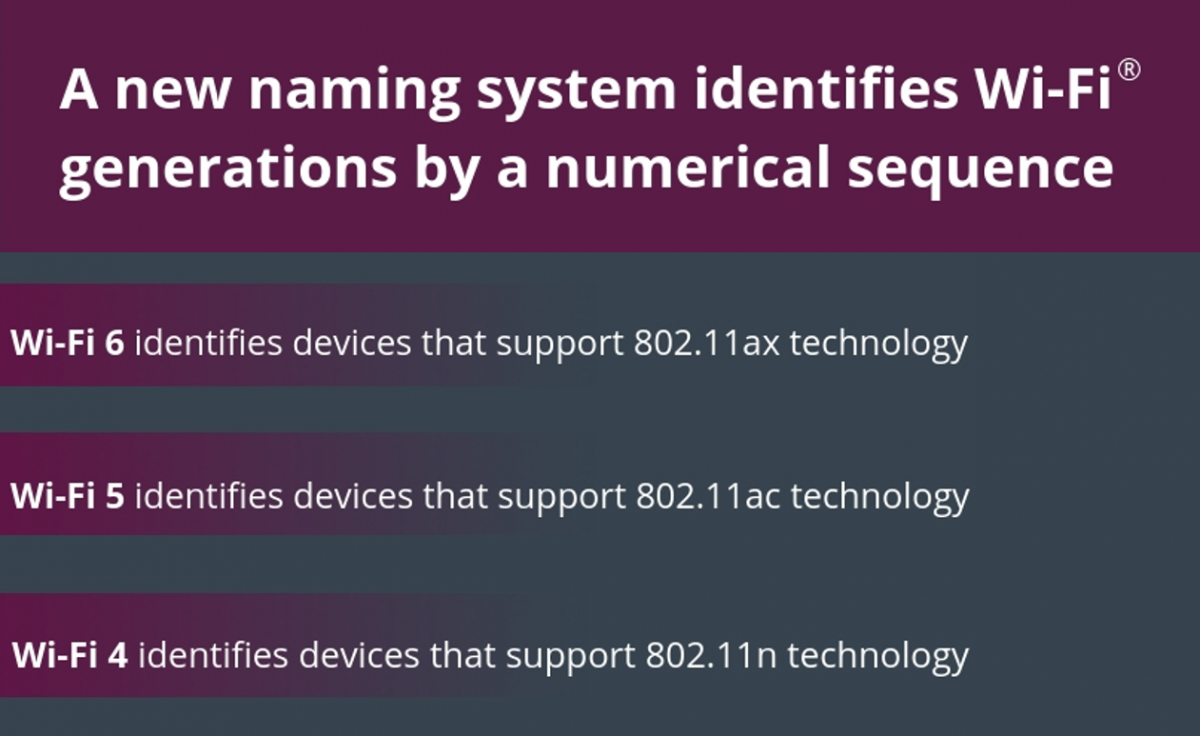

Wi-Fi devices may also use a user interface (UI) icon on the display to identify the generation of a network connection. The icons will display a Wi-Fi signal indicator and a numerical representation of the connection. Icons will adjust as users move between Wi-Fi networks that provide a different user experience. When a user device displays a signal indicator icon accompanied by the number 6, indicating a Wi-Fi 6 connection, that device is utilizing the most advanced version of Wi-Fi available.
Here is a youtube clip about WIFI 6. https://www.youtube.com/watch?v=kqKYIQlhSU4&feature=youtu.be

